Unlimited Premium Features & No sign up
Our Photo AI editor is 100% unlimited, unlike other photo editors, allowing you to enjoy VIP features without spending money.

EzMakerAI brings photo cleanup and image generation into one fast workspace. Clear backgrounds, erase distractions, upscale details, and turn prompts into polished visuals without jumping between apps.
Start editing free


Built for creators and teams who want sharper visuals without a heavy desktop suite.
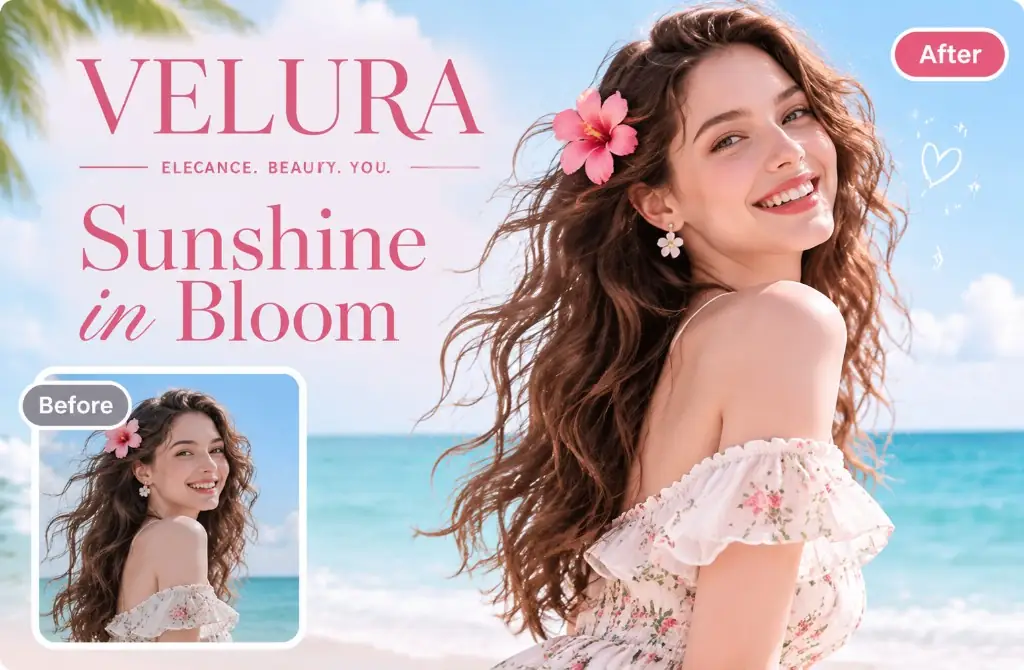
Transform Visuals in Seconds. Upload any image to erase objects, enhance quality, or replace backgrounds instantly. Free and ready to use.
JPEG, JPG, PNG, WEBP · up to 20M
1 free preview per IP · then sign in for 1 more · then buy credits
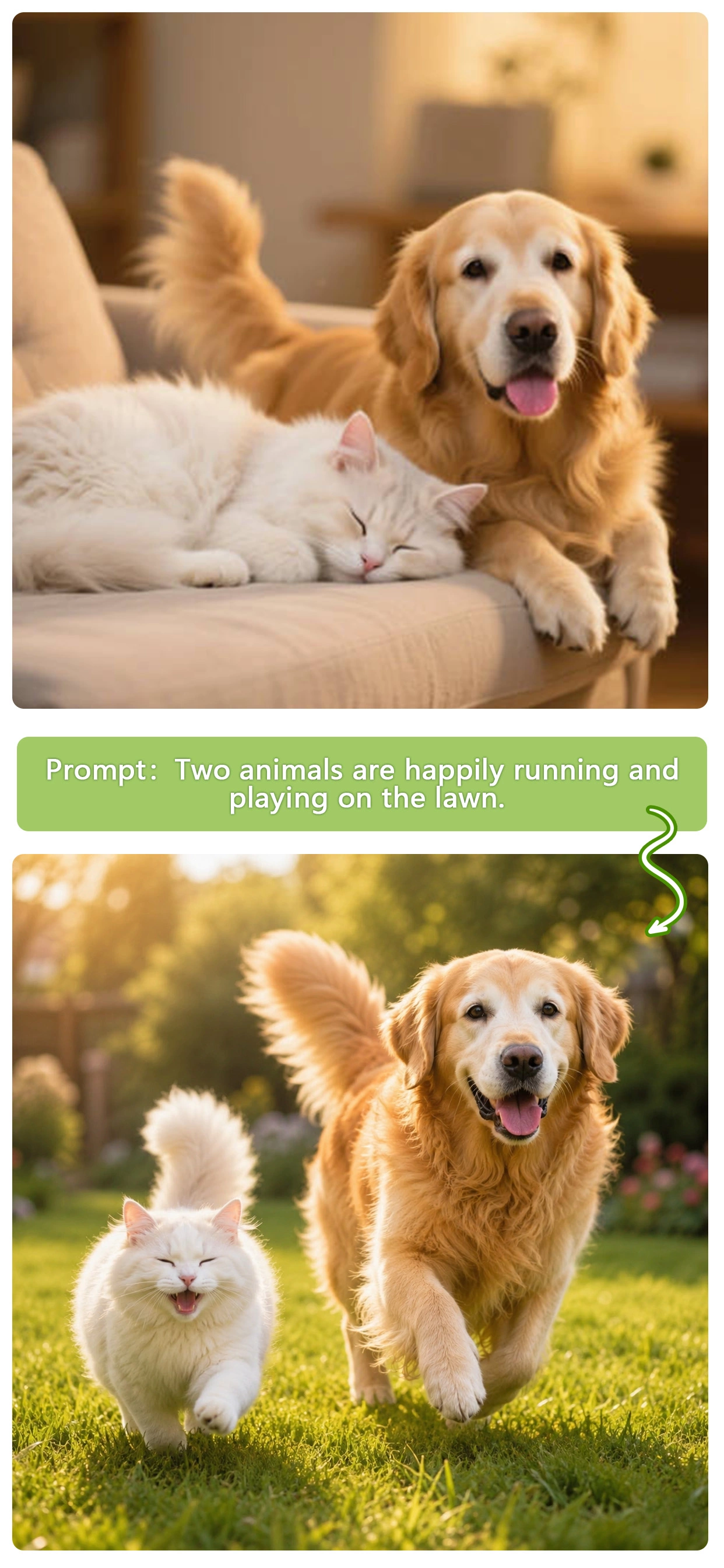
Edit, enhance, and transform any image with best image editor AI. Faster, simpler, and designed for everyone.
Our Photo AI editor is 100% unlimited, unlike other photo editors, allowing you to enjoy VIP features without spending money.
We promise that uploaded photos will be permanently deleted within 24 hours and will not be saved or used for third-party training.
Our free AI photo editor delivers results in seconds, powered by high-performance GPU and AI model capabilities.
Editing images with AI couldn't be easier. Just upload your photo, make a few clicks, and get stunning results in seconds.
Upload any image to the AI photo Editor. We support all major image formats, including JPG, PNG, and WebP. Simply select a photo from your device or drag and drop it directly into the editor.
Describe what you'd like to change using simple prompts such as "remove background," "erase objects," or "enhance image quality." The AI Image Editor will understand your request and apply the edits automatically.
In just a few seconds, your enhanced image will be ready to download. Whether you need visuals for product listings, marketing materials, or social media content, you'll get high-quality results ready to use.

EzMaker AI Image Editor’s capabilities include, but are not limited to, the following; it may be the AI editor you’ve been looking for.
Photobombing strangers, cluttered objects in the background, or stubborn watermarks embedded in images no longer require the complex layers of Photoshop. Simply use your mouse or finger like a brush to paint over the target area, and the free AI photo editor will precisely remove it within seconds. It then automatically and seamlessly fills in the background based on the surrounding context, leaving no trace of manual editing.
Try Erasing Objects with Image AI Editor →
Our free AI photo editor precisely extracts and flawlessly processes any subject, even fine strands of hair, transparent objects, or complex edges, in an instant. With a single click, you can replace the background with a solid white canvas or a custom scene. If you need different dimensions, the AI image extender intelligently expands the surrounding content, transforming square photos into widescreen banners, wallpapers, or vertical posters without stretching, cropping, or sacrificing image quality.
Start Free Image Editor AI Now →
With just a single click, Photo Editor AI transforms blurry, low-resolution, or vintage photos into stunning high-definition images. The AI editor restores missing details, removes noise, sharpens textures, and enhances facial features, delivering clearer, professional-quality visuals. Simultaneously, the AI image upscaler allows you to enlarge images by 2x, 4x, or 8x with a single click — perfect for printing, social media, marketing materials, and large-screen displays, all while maintaining image quality.
Enhance Image Quality Instantly Now →
User Testimonials
From seamless object removal to unrestricted creative overhauls, discover why this free ai image editor is a permanent bookmark for creators worldwide.
“I use this free ai photo editor daily to batch-process product shots. It is a fully functional ai image editor unlimited no sign up tool, which saved me so much time since I could test the quality instantly without roadblocks.”

“Brushed over the background crowds and they vanished seamlessly. This is easily the best ai photo editor for quick content creation when you are on a tight schedule. Love that it's an ai image editor free of hidden paywalls.”

“The upscaler on this photo editor is incredibly solid for pumping images up to 4K. It also acts as a smart ai image editor with prompt control, letting me tweak specific sections just by typing.”

“I used this ai photo editor with prompt free version today to fix an old marketing banner. I just highlighted the text, typed the update, and the AI matched the original font and lighting perfectly in seconds.”

“Getting crisp product shots with a phone used to be a pain, but this image ai editor cleans them right up. It feels great to find a powerful ai photo editor no restrictions holding back my daily workflow.”

“Most tools over-trigger strict corporate filters, but this is the closest thing to an ai image editor that actually delivers pro results. Excellent for both standard face swaps and complex ai image editor aesthetic overhauls.”

No complex skills or operational steps are required; simply upload a photo and click a few times.
Try AI Photo Editor Unlimited →
Why spend hours learning complicated software? EzMaker combines powerful AI with simple workflows to help anyone create professional-quality visuals faster. As a modern image editor AI, it handles the hard work so you can focus on your ideas.

Great design should be accessible to everyone. Whether you're an entrepreneur, ecommerce seller, marketer, or creator, EzMaker helps you produce high-quality visuals with ease. From AI photo editor with prompt workflows to advanced editing tools, it's designed to be the best AI image editor for modern creators.

Creativity shouldn't require registration forms or hidden paywalls. EzMaker is an AI photo editor unlimited no sign up platform that lets you edit and generate images immediately. Enjoy a truly free AI image editor experience with no unnecessary barriers.
Help Center
If you have any questions about our free AI image editor, please contact us via email.
EzMaker AI is a new AI powered image editing and generation platform built to help anyone create amazing visuals with ease. Our vision is simple: make professional-quality image creation accessible to everyone.
It is an AI photo editing tool designed to help users edit images and enhance image quality in the simplest way possible; you no longer need to rely on professional tools to create like a professional designer.
Yes, you get 100% free access to premium features, unlike other tools that claim to be free but actually impose limitations.
We never add watermarks to your images. If you're using the watermark removal feature, minor remnants of the original watermark may occasionally remain.
It supports downloads at up to 8K resolution without compromising the image quality of the processed photos.
Yes, you can use images created with our free AI photo editor for commercial purposes; however, please ensure you obtain the necessary authorization.
100% secure, uploaded data is permanently deleted within 24 hours, will not be shared with third parties, and no personal information is collected.
It supports almost all mainstream image formats, such as JPG, PNG, WebP, and JPEG.
Of course, it is compatible with mobile devices; you can simply open it in your mobile browser and start using it right away.
With super simple edits, EzMaker AI photo editor helps you edit, enhance, and generate stunning images faster than ever. No complicated tools, no steep learning curve.
Start Editing Image with AI for Free Today →